


Daily Mail: Breaking News
3.96.69K Reviews
App Specs
- Version
- 8.1.0
- Updated On
- License
- Free
- Downloads
- 5,000,000+
- Developer
- Daily Mail Online
- Categories
- News & Magazines
- Platform
- Android
Screenshots
 Analysis by AppCompare
When I decide whether a news app is worth keeping, I look beyond the headline feed: I want to know what I can read without paying, what kind of coverage it brings together, and whether its style suits the way I follow the news. Daily Mail: Breaking News is a free news and magazines app from Daily Mail Online, with a mix that spans breaking stories, sport, entertainment and photos. I see its strongest appeal in having that broad, lively selection close at hand, rather than in replacing every other source I use.
What free access means in practice
The app is free to download and use, while in-app purchases are listed at $2.99 to $10.99 per item. That distinction matters: you can try the app without paying upfront, but the presence of purchases means I would check what an optional item offers before buying it. I wouldn’t assume that every part of the experience is included in the free access, or that a purchase is necessary for ordinary reading.
For a casual reader, that makes the first step easy. You can see whether the app’s mix of news, celebrity coverage, sport and photos fits your habits before spending anything. If you are considering a purchase, I’d make the decision based on the specific value shown in the app, not simply because a story or screen prompts you to explore an extra option.
Where the app earns its place
The practical value here is variety. Instead of opening one app for headlines, another for entertainment and a separate source for sport, I can use this one to browse across those interests in a single sitting. That is especially useful in small moments: checking what is happening while waiting for a meeting, reading a few stories over breakfast, or looking for a quick diversion during a commute.
That breadth also changes how I would use it. I wouldn’t treat one brisk scan as a complete picture of a complicated event. I’d use the app to notice developing stories and then compare coverage or read more deeply when a subject matters to me. The fast, accessible format is convenient for keeping up; it is not a substitute for slowing down and checking context.
The First Impression
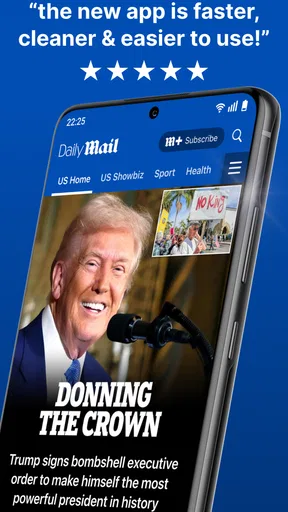
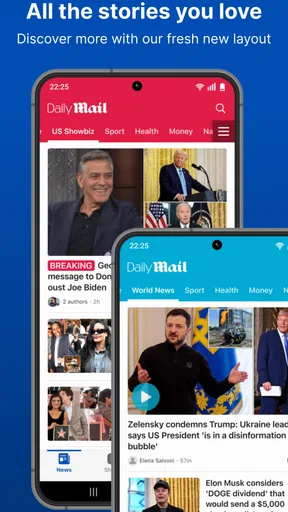
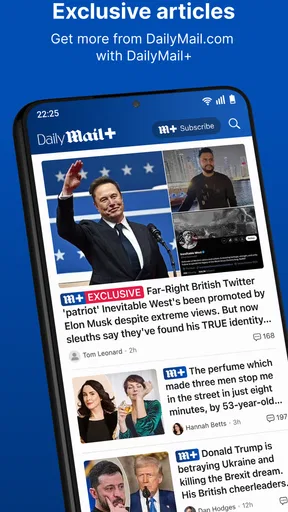
Right off the bat, the Daily Mail: Breaking News app greets you with a clean and intuitive interface. It’s pretty straightforward, which I appreciate because who has time to navigate a maze just to find out what’s happening in the world? The main screen is filled with a mix of top stories, trending topics, and some juicy gossip, all laid out in an easy-to-digest format.
One thing I noticed immediately is how quickly the app updates its content. It’s like having a personal news ticker that keeps you in the loop 24/7. Whether it’s a political scandal or the latest celebrity breakup, you’ll find it here almost as soon as it happens.
Worth Reading Before You Choose

Flipboard Shows What News Apps Must Do Beyond the Feed

Switching to Android Auto Means Rethinking Your Driving Routine

Google Calendar Makes a Crowded Week Easier to Manage

Ludo King Makes the Most of the Minutes Between Plans

Baby Panda World Brings Quick Play to Modern Phones, but Its Game Library Feels Busy

ESPN’s Live Game View Makes Following Close Games Easier
Features That Stand Out
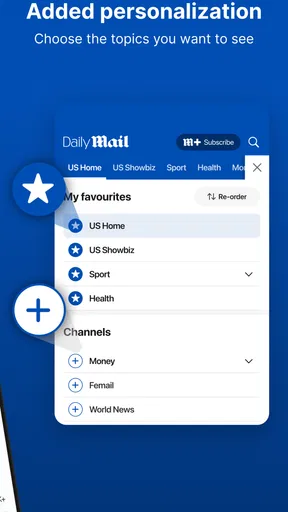
Now, let’s talk about some of the standout features. First up is the customization option. You can tailor your news feed to show more of what you love. Into sports? More football and less finance. Want more celebrity gossip? You got it. It’s all about making the app work for you.
Another neat feature is the offline reading mode. We all know the struggle of wanting to catch up on news during a long commute with spotty internet. With this feature, you can download articles and read them offline. Super handy!
If you’re a social butterfly, the app makes sharing articles a breeze. A quick tap and you can send that shocking news piece to your friends or share it on social media. Staying connected has never been easier.
Content Variety and Quality
The app covers a vast array of topics, from hard-hitting news and politics to entertainment and lifestyle. The writing style is engaging, and the articles are usually succinct, which is great for quick reads. They also have a bunch of multimedia content, like videos and photo galleries, that add an extra layer to the stories.
One of the things I enjoy the most is the opinion pieces. They offer a fresh perspective and sometimes challenge my own views, which is always a good thing. The editorials are well-researched and thought-provoking, making you feel more informed and ready to engage in discussions.
How I’d fit it into a daily routine
A useful way to keep the feed from becoming a distraction is to give it a purpose each time I open it. In the morning, I might scan the main stories, then switch to sport or entertainment only if I have time. Later, I can save the longer read for a break rather than tapping through every headline as it appears. That simple habit makes a broad, frequently updated feed feel more manageable.
Offline reading is particularly helpful when planned ahead. Before heading somewhere with unreliable reception, I’d pick a few articles while connected rather than expect a fresh feed to load once I’m underground or out of range. Downloaded reading helps with access, but it also means choosing what I want to read before I lose a connection. If I’m only after live developments, offline access is naturally less useful than it is for catching up on articles I already selected.
Personalizing the mix is another practical choice, not just a cosmetic one. If I mostly want sport, prioritizing it can make a quick check feel relevant; if I’m in the mood for broader headlines, I can browse outside that preference. I’d still occasionally look beyond my usual topics so the tailored feed doesn’t narrow what I notice. Customization is most useful when it saves time without becoming a filter that hides stories I should know about.
Where I’d be cautious
A lively news feed can make a dramatic headline hard to ignore, but a striking presentation is not the same as a full account. For a developing political story, a health issue or anything that could affect a decision, I’d read the article rather than rely on the headline, and check another reputable source for additional context. That is sensible with any fast-moving news app, and especially worthwhile when the subject is more consequential than a quick catch-up.
The range of celebrity and lifestyle coverage is a genuine part of the appeal, but it may also be the reason some readers decide this is not their main news source. If you want a narrowly focused business briefing, a specialist sports service, or a publication centered on long-form reporting, a dedicated alternative may serve you better. This app makes more sense if you enjoy moving between subjects than if you want one carefully limited stream.
Photos and videos can make a story easier to follow, yet multimedia is not always ideal when you are trying to read quietly or conserve attention. For a quick glance in a busy setting, I’d stick to text and save richer coverage for a time when I can give it proper focus. Sharing also calls for a pause: I’d open and read an article before passing it along, so I’m sharing the reporting rather than reacting to a headline alone.
Who is likely to get the most from it?
I’d recommend trying it if you like a general-interest news app with a noticeable entertainment and sports component, and if you prefer browsing several kinds of stories rather than maintaining a separate app for each. It can suit someone who wants a quick daily scan, follows celebrity news alongside current events, or likes to have photo-led coverage available in the same place. Its free entry point makes that trial low-commitment.
I’d be less likely to recommend it as the only source for someone who wants a strictly impartial, specialist or deeply analytical reading routine. Readers who dislike gossip, prefer a quiet list of headlines, or want a publication devoted to a single subject may find the mix distracting. The right choice depends on what you want from a news app, not simply how many topics it can display.
It is also worth separating app quality from editorial fit. An interface can be easy to use and a feed can be convenient while the publication’s tone still does not match your preferences. I’d spend a little time reading across several sections before deciding whether to make it a regular stop. If the stories you actually open are the ones you want to follow, the app is doing its job for you; if you keep skipping whole categories, another source may be a better everyday match.
User Experience
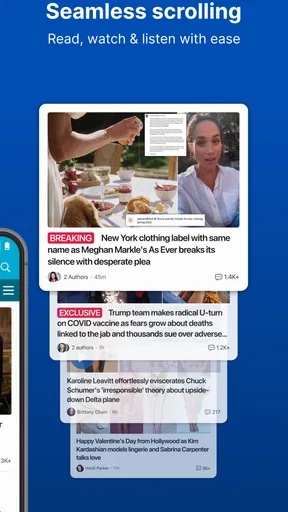
Let’s talk UX. The app is smooth as butter. I haven’t encountered any annoying lag or crashes, which is a huge plus. The navigation is seamless, and everything is where you’d expect it to be. They’ve clearly put a lot of thought into making the user journey as pleasant as possible.
And if you’re someone who loves a dark mode (who doesn’t?), you’re in luck. The app offers this feature, making those late-night reading sessions a lot easier on the eyes.
For someone checking stories in short bursts, straightforward navigation is more than a polish detail: it reduces the effort of moving from a headline to a subject I actually care about. Still, late-night reading can easily stretch longer than intended when a feed mixes breaking news with lighter pieces. I find it useful to decide whether I’m opening the app for a specific update or for casual browsing, so a quick check does not turn into an aimless scroll.
The app is rated for Everyone 10+, and it has an average rating of 3.9 from around 128,000 ratings, with roughly 6,700 written reviews. I take that as a broad sign that many people use it, not a guarantee that its coverage or presentation will suit me personally. Its reach is substantial, with more than 5 million installs, but popularity alone does not settle whether its editorial mix is right for a particular reader.
Daily Mail Online released the app on November 28, 2011, and version 6.11.0 is the current version. It requires Android 10 or later. Those details are useful to check before installing, particularly if you are using an older device; the app’s free price does not remove the practical question of whether your phone meets the system requirement.
Final Thoughts
All in all, the Daily Mail: Breaking News app is a solid choice for anyone looking to stay informed with minimal fuss. Its user-friendly design, coupled with a wide range of topics and fast updates, makes it a must-have for news junkies.
Whether you’re catching up on the latest headlines or diving into a deep editorial, this app has got you covered. So, if you haven’t already, give it a spin and see how it fits into your daily routine. Happy reading!
My verdict is more measured than “must-have”: it is worth a try if you value a broad, quick-moving feed and the mix of topics appeals to you. The free download gives you a way to judge that fit before considering any in-app purchase, while the listed purchase range is a reason to check the exact offer rather than assume you need to pay. If you want a focused or especially restrained news experience, I’d compare it with a specialist publication instead.
For everyday use, I’d keep it as a convenient way to spot stories and catch up on subjects I follow, then turn to additional sources when accuracy, depth or a different perspective matters. That balance plays to what the app does well without asking it to be the only lens on the news. If its blend of current affairs, sport, gossip and visual stories feels useful rather than noisy, it can earn a place in your routine; if not, skipping it costs nothing upfront.
Pros
- Real-time news updates keep you informed.
- User-friendly interface for easy navigation.
- Wide variety of categories and topics.
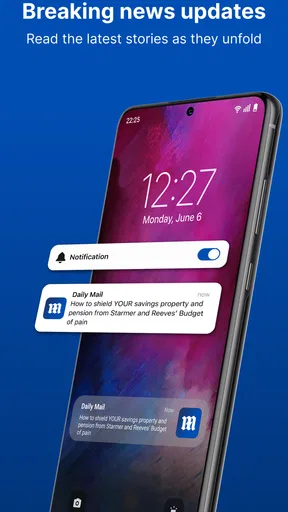
- Push notifications for breaking news alerts.
- Offline reading mode available.
Cons
- Intrusive ads can disrupt reading experience.
- Limited customization of news feed.
- Occasional app crashes or slowdowns.
- Some articles lack in-depth analysis.
- Requires account for certain features.
FAQs for Daily Mail: Breaking News
What is Daily Mail: Breaking News, and what features does it offer?
Daily Mail: Breaking News is an app that provides the latest news from the UK and around the world. Key features include real-time updates, customizable notifications, video content, and the ability to save articles for offline reading. The app also offers a personalized news feed based on user preferences.
Is the Daily Mail app free to download and use?
Yes, the Daily Mail app is free to download on both Android and iOS devices. While the app itself is free, it may contain in-app advertisements. Users can access all basic features without cost, but there may be optional premium features available through in-app purchases.
How do notifications work in the Daily Mail app?
The Daily Mail app allows users to customize notifications to receive alerts for breaking news and specific topics of interest. Users can adjust their settings to control the frequency and type of notifications, ensuring they only receive the news that matters most to them right on their device.
Can I read articles offline using the Daily Mail app?
Yes, the Daily Mail app offers an offline reading feature. Users can save articles to read later when they don't have internet access. This is particularly useful for those who want to catch up on news during commutes or in areas with limited connectivity.
What type of content can I expect from the Daily Mail app?
The Daily Mail app covers a wide range of topics including politics, sports, entertainment, health, and more. It offers a mix of written articles, photo galleries, and video content. The app aims to provide comprehensive coverage of major events and trending stories to keep users informed.


